Resilient Sync: Your IDE Keeps Helping even when your Build is Broken


Table of Contents
Introduction
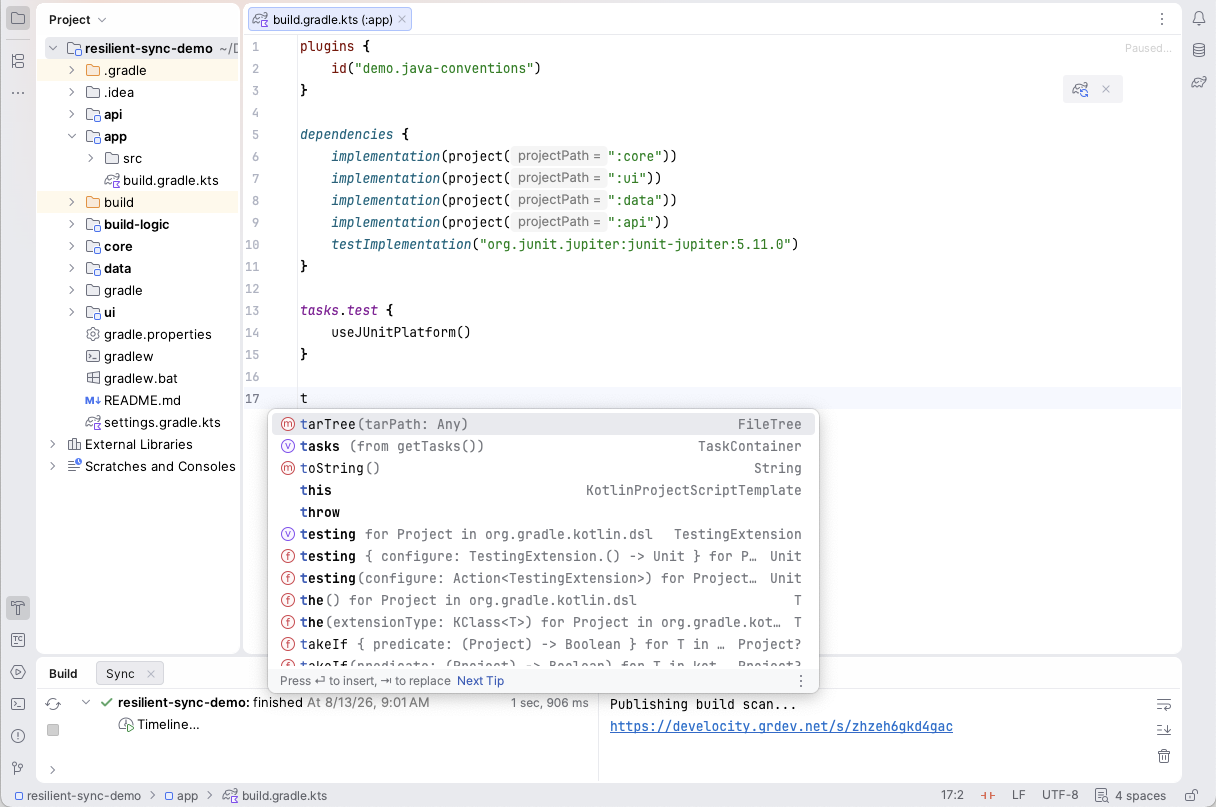
You upgrade Gradle, hit sync, and watch every build script turn red. The IDE that was finishing your sentences five minutes ago suddenly has nothing to say, and you’re left fixing build logic in what is effectively a very expensive text editor.
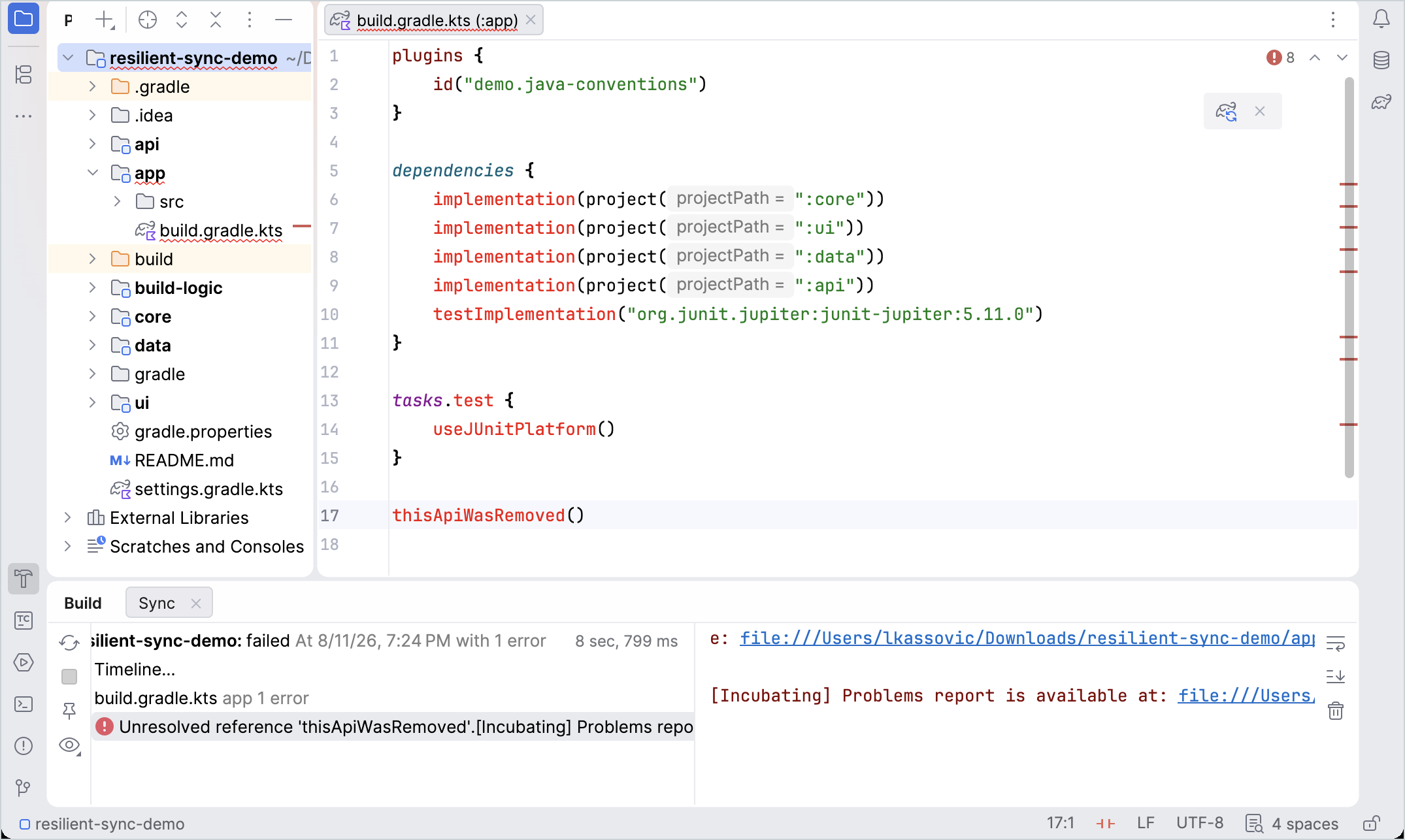
And the API you need to fix the error is the exact API the IDE can no longer tell you anything about. To get autocomplete back, fix the build. To fix the build, it would help to have autocomplete. Chicken, meet egg.
Gradle 9.7, together with IntelliJ IDEA 2026.2, fixes this. The feature is called resilient sync, and it is one of those changes you only notice by its absence once you have it.
What goes wrong today #
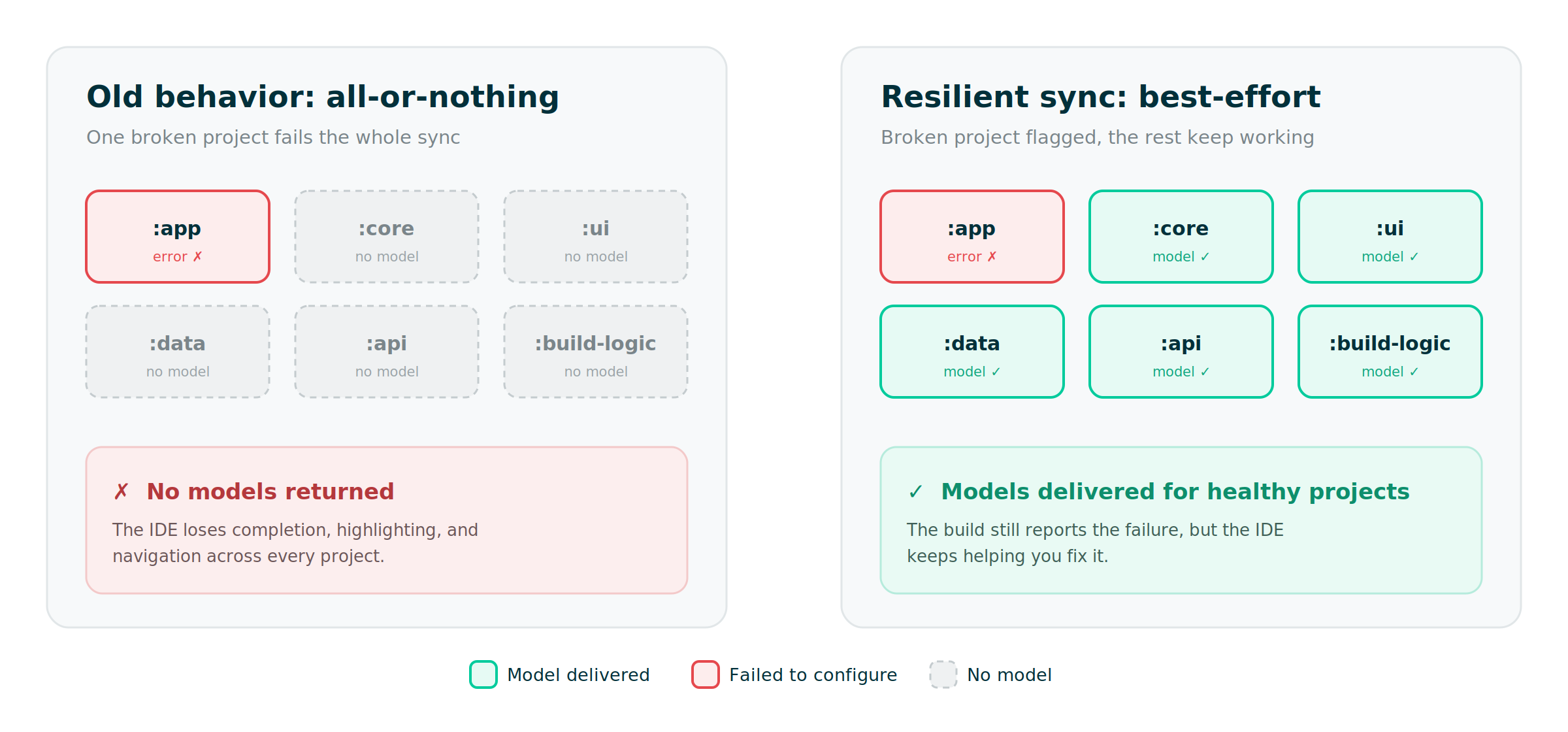
Nobody designed the old behavior to be cruel. It falls out of two entirely reasonable decisions that happen to collide. The IDE reasons that if it cannot get a model back from Gradle, it has nothing accurate to show you, so it shows almost nothing. Gradle reasons that if configuration throws, the whole operation failed, so it reports the failure and stops. Both are correct. Together they produce a tool that abandons you precisely when you need it most.
The worst version is the multi-project build. You have a hundred subprojects, and one of them (or one shared convention plugin in an included build) has a broken script. In the old world, that single failure takes down the sync for all one hundred. Ninety-nine healthy projects lose their IDE support over one bad line somewhere else in the tree.
Power users had a workaround, as charming as workarounds usually are:
# The old "please just give me some completion" incantation. Don't rely on this.
org.gradle.jvmargs=-Dorg.gradle.kotlin.dsl.provider.mode=classpath
It coaxed some completion out of a broken build, frequently broke Gradle’s internal state in other ways, and often needed an IDE restart to load new API. Reader, it was not a fix. It was a coping mechanism.
What is resilient sync? #
Resilient sync replaces all-or-nothing with best-effort. When part of your build fails to configure, Gradle builds tooling models for every part that did configure, and reports the rest as structured failures instead of aborting the whole operation.
When the IDE asks for models during sync, Gradle now:
- Keeps building models for the included builds and
buildSrcthat configured successfully before a failure elsewhere in the build. - Returns a partial picture of your project structure, so the IDE can still draw the tree from everything it discovered.
- Hands back editor data for the Kotlin DSL scripts it could resolve, and reports the unresolved ones as failures rather than silence.
- And when nothing configures at all, falls back to a base script model: the standard Gradle API for Groovy and Kotlin DSL scripts, so your editor keeps basic completion and highlighting even if the whole sync comes back empty.
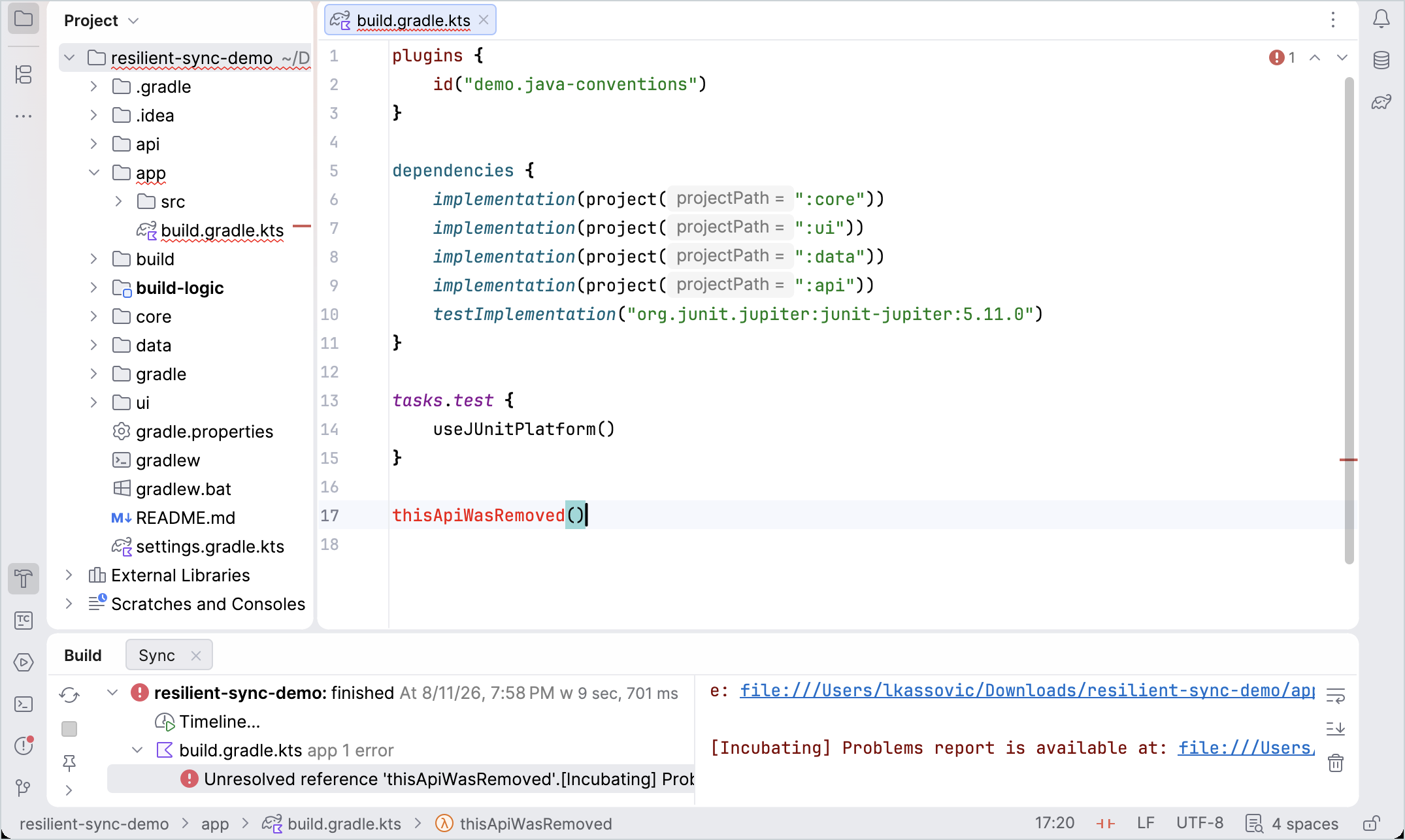
Back to the hundred-project build: one broken convention plugin no longer blacks out the other ninety-nine. They sync, keep their completion and highlighting, and the broken one carries a real error you can read. Best of all, you get IDE assistance in the build logic you are trying to repair. You are no longer fixing the build blind.
A brief and slightly nerdy aside on how sync works #
Skip this if you just want the payoff. If you like knowing why things behave the way they do, stay.
When an IDE syncs a Gradle build, it doesn’t scrape console output. It talks to Gradle through the Tooling API, asking for typed models that describe the build: projects, dependencies, source layout. A small build action runs inside the Gradle process and pulls the models the IDE needs.
The classic calls, getModel(...) and findModel(...), share one trait that matters: when they cannot build a model, they throw, and a throwing build action discards everything it had already collected. One failure anywhere, one failure for the whole sync. That is all-or-nothing, written into the API contract.
Resilient sync uses a different call, BuildController.fetch(...), added in Gradle 9.3.0. Instead of throwing, it returns the model (if it built) plus any failures encountered. The action can inspect the failures, keep going, and ask for more. Partial results stop being an exception to handle and become an ordinary value to read. There is no opt-in flag: calling fetch(...) is what enables the resilient behavior. The IDE does the calling; you get the benefit.
The part that actually shipped in 9.7 #
If resilient sync started in 9.3, why is this a 9.7 story? Because it arrived in pieces, and 9.7 is where the last two landed: the behavior got its final polish, and IntelliJ IDEA turned it on.
The fetch(...) API shipped in 9.3, and Gradle 9.4 completed the daemon-side work so the build tool would genuinely return a partial model plus failures. But our friends at JetBrains rightly pushed on a wrinkle: in those versions, a sync that had quietly dropped a broken project could still finish and report itself as successful. Partial models, failures tucked into the result object, and a green checkmark on top. A sync that half-worked but claims total success is its own kind of lie.
So 9.7 tightened the contract. A broken part now fails the operation as a whole. The IDE still receives every partial model it can use, streamed as each build phase completes, but the sync is honestly marked failed. You get both: the assistance from everything that worked, and an accurate red status saying something still needs fixing. Pair that with IntelliJ IDEA 2026.2, which adopts the resilient models, and the feature is finally in everyday hands rather than living in test suites and EAP builds.
Someone noticed #
The nicest kind of feature validation is the unprompted kind from fellow developers:
The new Gradle Resilient Sync (requires 2026.2 and Gradle 9.7) is amazing! You finally can fix sync/build-logic errors with IntelliJ support 🚀 – Philip
That is the whole thesis in one sentence. You can finally fix build-logic errors with the IDE supporting you, instead of the IDE going dark exactly when the build breaks.
How to get it #
Two ingredients, no extra configuration to memorize:
- Gradle 9.7 or later. Upgrade your wrapper the usual way:
./gradlew wrapper --gradle-version 9.7. - IntelliJ IDEA 2026.2 or later, which knows how to ask Gradle for resilient models and present the partial results.
IDE sync is a collaboration between Gradle and the IDE, so both halves need to be recent for the experience to click. Staying current on both is the cheapest way to keep collecting quality-of-life wins like this one.
Resilient sync is a Gradle capability, not an IntelliJ one. IntelliJ IDEA 2026.2 is simply the first to adopt it, and Android Studio will follow as its platform catches up. Any Tooling API-based IDE can build on the same Gradle 9.7 daemon, so there is nothing stopping Eclipse, NetBeans, or the VS Code Gradle tooling from offering the same resilience. If that is your editor, it is worth nudging its maintainers. We would love to see resilient sync everywhere.
TLDR #
Upgrade to Gradle 9.7 and IntelliJ IDEA 2026.2, break a build script on purpose, and watch the IDE keep helping you. Then get back to work.