Triaging at Scale: How the Gradle Team Handles Issues and Pull Requests


Table of Contents
Introduction
Communities are at the heart of Gradle’s success. Without their involvement, the build tool would not have the extensive feature set and wide use it has.
And using the plural form is no mistake! While the user community is the largest, we also have a community of plugin authors that contribute to extending the capabilities of Gradle.
A significant part of interactions between the Gradle team and those communities occurs via feature requests and bug reports using GitHub’s issue tracker. Over the past years, we have improved how we handle those reports. We can now give them the attention they deserve and use them to help us improve the build tool across releases.
In this post, we’ll walk through how triage works today, the changes that got us here, and what you can do to help us help you when you report an issue.
An iterative process #
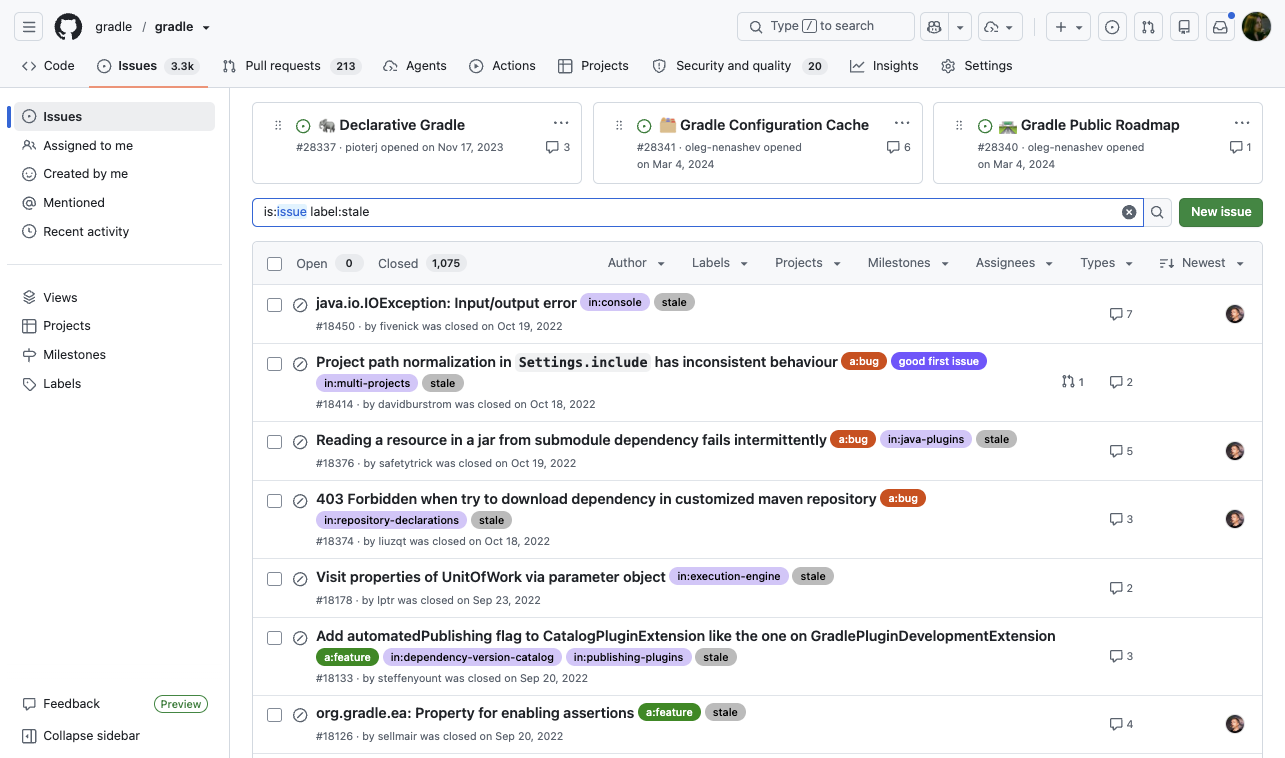
Back in 2020, we introduced a stale bot to tackle our growing backlog of stale issues.
Once it started closing issues, the community feedback was quick to arrive.
The biggest complaint was that issues were closed automatically as stale, without a human from the engineering team ever weighing in.
So we walked the automation back, step by step.
First, we changed the stale bot to no longer close issues, only mark them stale and leave them open for the team to review.
Then we reviewed all open issues carrying that label.
With the backlog under control, we removed the stale bot for issues altogether.
Later, we even re-triaged the closed stale issues that had at least one vote.
Most turned out to be duplicates or already fixed.
Today, no automation can silently close an issue.
What’s more, we don’t miss any comments under closed issues: if somebody comments on a closed issue, it will be re-triaged.
There are still around a thousand issues in our main repository closed by the stale bot. We don’t plan to re-triage them, assuming they are obsolete. If the stale bot closed an issue you still care about, just leave a comment and we’ll take another look.
Motivation #
The stale bot experience taught us a simple lesson: the frustration was less about issues going unfixed and more about issues going unanswered. So making sure we answer every issue became our target.
An unanswered report is a wasted one. Issue reports are how we:
- Identify bugs and how they impact users
- Identify gaps in documentation and how they impact the usability of Gradle
- Identify unclear errors and warnings and how they hinder the ability of users to fix their build
- Identify missing features and which ones are blockers for the community
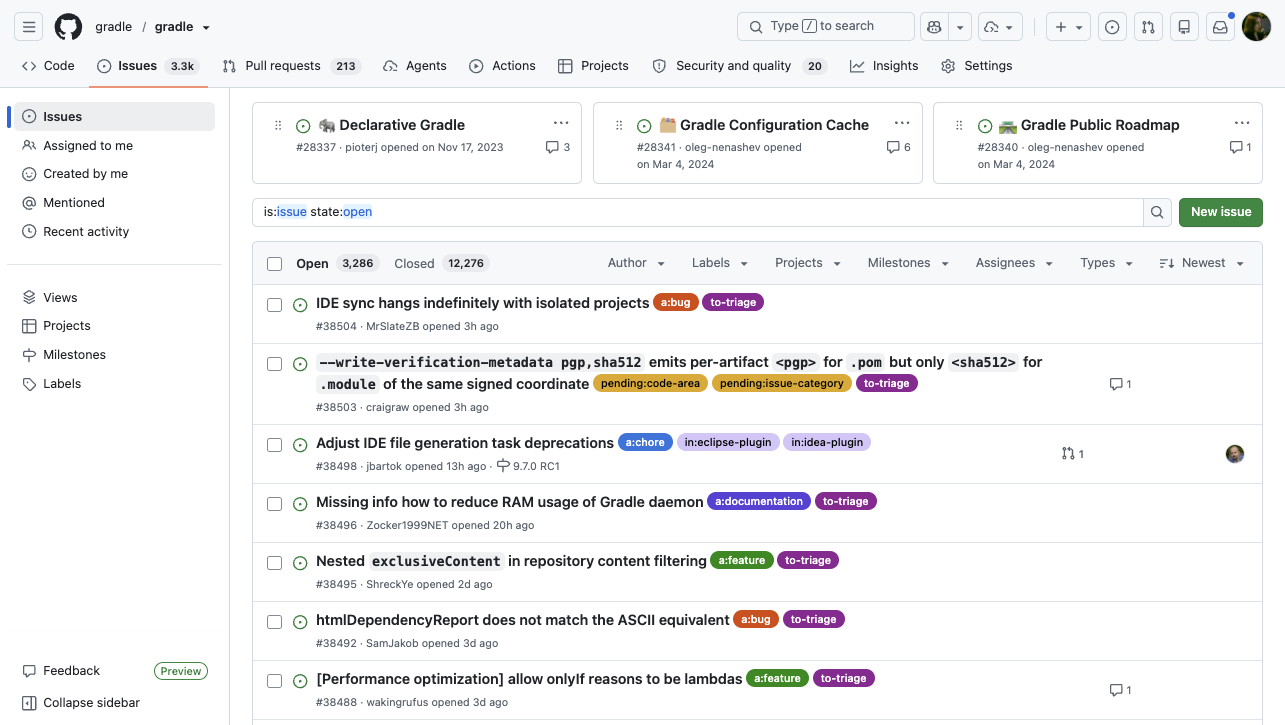
However, we also get quite a large number of issues opened on Gradle’s repository. Over the past few years, the number of open issues has grown from ~2200 to ~3300, and it keeps growing. On average, we receive about 110 issues per month, and given that we close 80 issues per month on average, that leaves around 30 additional issues each month. Handling them all also means being strict about what we consider a valid issue.
Our commitment is not limited to the main gradle/gradle repository.
We also triage satellite repositories like gradle-profiler and foojay-toolchains, where we have reviewed most open issues and PRs.
The process is similar, just more relaxed: those repositories see far less traffic.
Issue lifecycle #
Here’s what happens to an issue from the moment you open it, and what we changed at each step.
Reporting #
Helping the community provide high-quality issues is the first step.
We created several issue templates. Make sure to follow them: every section is there for a reason, and every field asks for information we actually use.
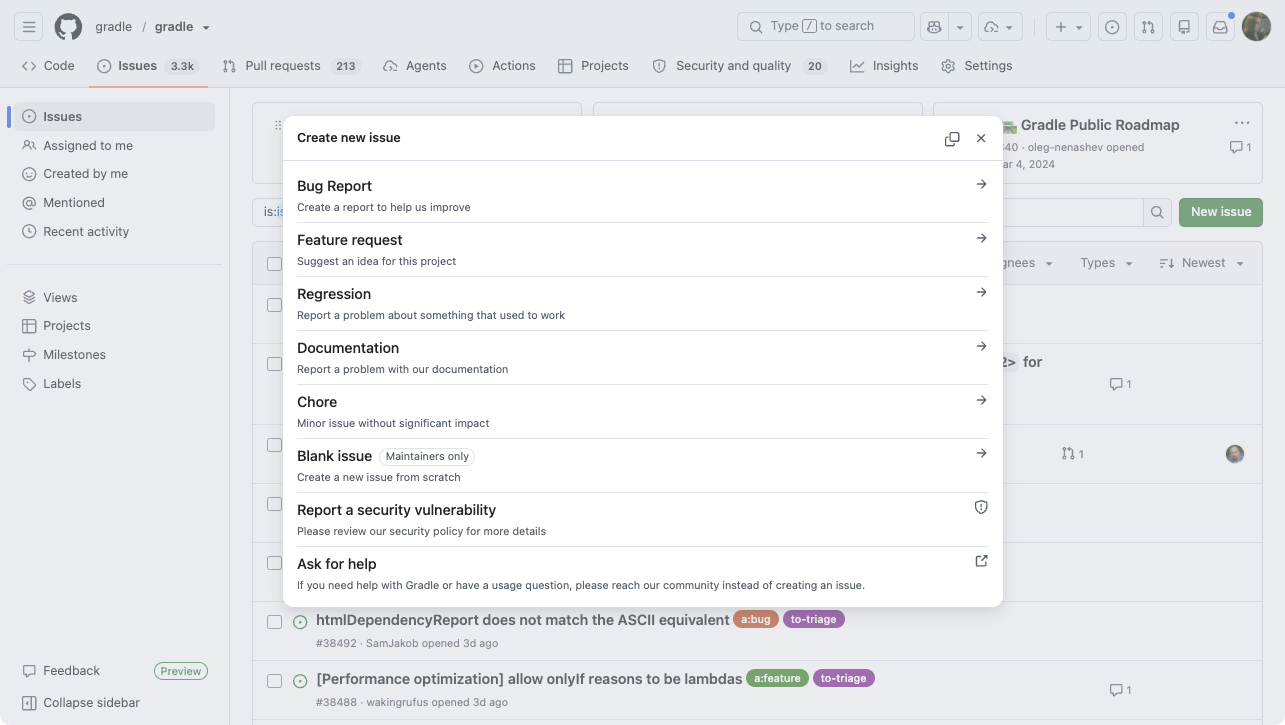
These templates have evolved a lot. We moved from free-form text to structured forms and forbade blank issues, so every report has the information we need. There is now a distinct template for each category (bug report, feature request, regression, documentation), guiding you to the right details for that kind of report. Along the way we added prompts for a Build Scan, clarified what a minimal working example (MWE) is, and emphasized that a bug reproducer should be a self-contained project, not a snippet.
| ⚠️ What about security issues? |
|---|
| There is a dedicated entry in that template list that sends you to our security policy and asks for these issues to be reported by email, not with a public issue. This is important because a genuine high impact security issue is responsibly made public once a fix is available. |
Requests to issue reporters #
- For questions on Gradle usage, please use a channel other than the issue tracker; you will find the right places on help.gradle.org. As the metrics above show, we have our hands full with bug reports and feature requests alone.
- Please take some time to search for an existing issue matching yours. If you find one, vote for it with a 👍 reaction to indicate it affects you, and add your use case or reproducer to it.
- Bug reports should come with a minimal, isolated reproducer, ideally based on our template. A reproducer lets the engineer confirm the problem quickly and cuts the investigation time significantly. Our template also includes a GitHub Actions workflow that runs the reproducer, so we can confirm the result without executing unknown code locally, which carries a security risk.
- For feature requests, describe one or more use cases that show how the feature benefits a significant number of users.
Triaging #
When you open an issue, the Gradle engineering team will look at it within a week, and usually within a couple of days. That guarantee is a fundamental change from the past, when an issue could sit unanswered for a long time.
What happens when the engineering team looks at the issue?
- We check for issue validity and close invalid issues by applying a
closed:*label.- Even when closing an issue, the engineers looking at it will attempt to provide suggestions to help the reporter.
- We confirm or requalify as
a:bug,a:feature,a:documentationora:regression.- Communities are doing a good job here! Requalifying is the exception, as reporters are good at picking the right category from the start.
- We categorize using the
in:*labels.- These labels ensure that the proper engineering subteam is made aware of the issue.
- Routing is not the end of it: a recurring team triage process makes sure each subteam reviews the issues landing in its queue, so a triaged issue does not simply sit unseen.
- We check the reproducer and possible workaround.
- Finally, we leave a comment for the user and the community.
- This last part is essential to us; see more below.
Always answering #
Every issue gets at least one answer from the Gradle team. This is not about leaving a comment for the sake of it; a real answer does three things:
- Acknowledge. A human on the Gradle team has actually read the issue.
- Disambiguate. The reply states our decision and the reasoning behind it, so there is no doubt about what happens next.
- Record. Whoever revisits the issue later, whether reporter, contributor, or engineer, can see why it was handled the way it was.
To provide this answer, we use saved replies. It allows us to save time when there is nothing to add to the initial report and maintain consistency. When there is more to say, the triaging engineer adds a custom note on top with context, thoughts, or a workaround. We have reworded these replies several times based on community feedback, and today’s versions are deliberately direct, focusing on the technical substance.
Automation behind the scenes #
Answering every issue within a week, at this volume, only works because automation handles the repetitive parts. We built a dedicated issue management action for this, and it now runs as a set of focused jobs:
- Metadata checks ensure every issue carries the labels for category and area and a milestone when needed. When something is missing, a
pending:*label flags it for the team rather than letting it drift. - A feedback loop follows up when the team asks for more information: if the reporter replies, the issue goes back into the triage queue; if no reply ever comes, the issue is closed.
- Release notes checks verify that closed, release-note-worthy issues (especially highly-voted ones) are backed by a pull request that documents the change, so nothing user-facing goes unannounced.
- Comment-based requeuing re-queues the issue for triage whenever someone comments on a closed issue, ensuring a renewed discussion gets a fresh look instead of being lost.
This automation does the bookkeeping so the engineers can spend their time on the part that matters: understanding the issue and responding to you.
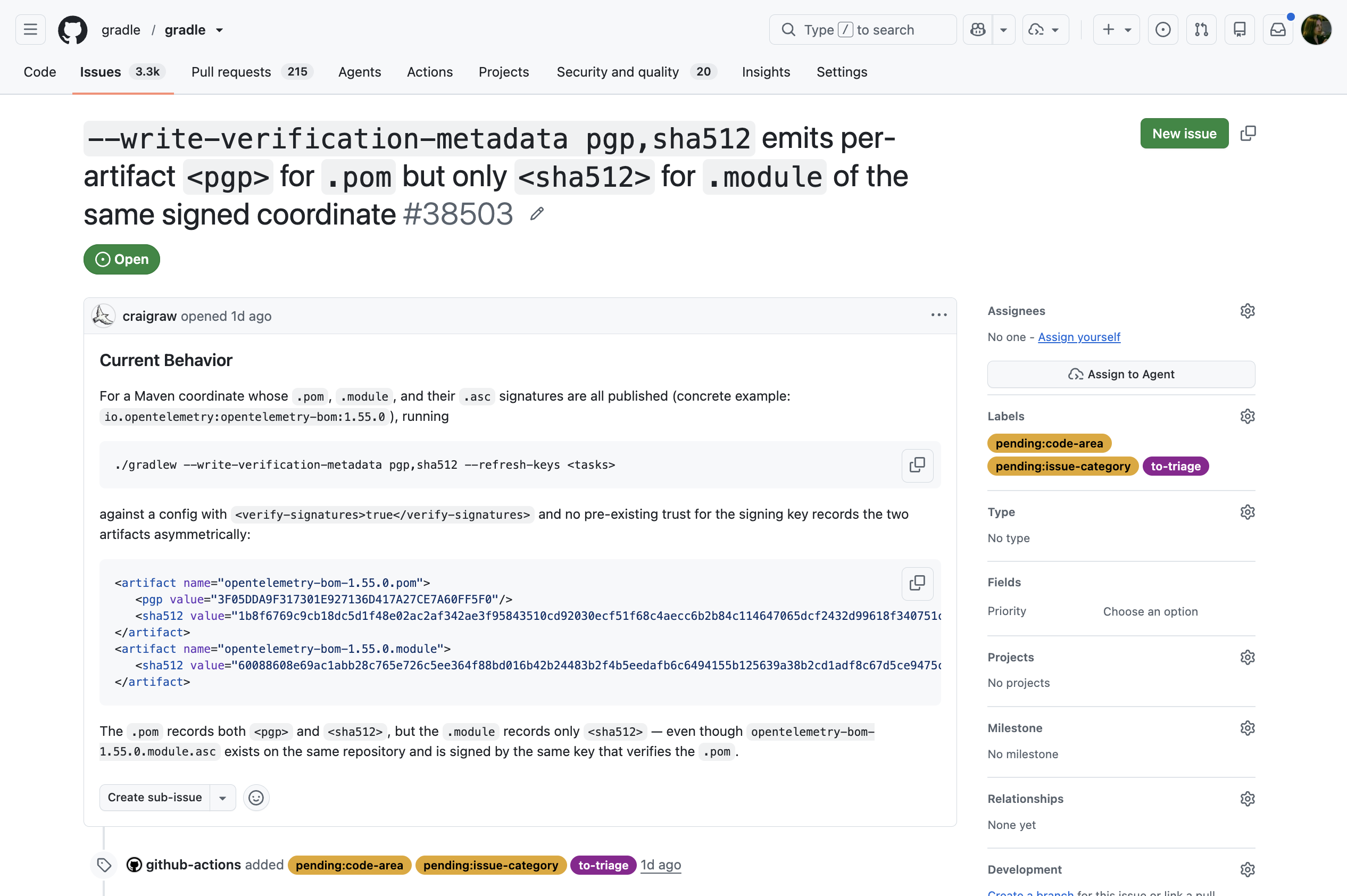
Sometimes our automation may be annoying (even for our engineers!), but it’s a price we are ready to pay to keep the backlog in a manageable state.
Acknowledging is not resolving #
We understand that, as a reporter, the ideal response to your issue is a pull request that resolves it, slated for the next version of Gradle. But this can take a while to happen and is beyond the scope of this article.
We work hard to improve Gradle. While your issue may seem important or even critical for you, we must consider our broader feature set and user community when deciding what to work on next.
To get an idea about what we’re currently focusing on, see our public roadmap.
Pull request lifecycle #
Pull requests present us with both a challenge and an opportunity.
They are a challenge because Gradle is large and complex. This means that often, a solution that works for one contributor cannot be accepted because it does not work for all use cases Gradle supports. Verifying this acceptability takes much more time than confirming a bug reproducer is valid, for example.
Despite this difficulty, they are an opportunity for us to benefit from the community’s interest in improving the build tool by actively contributing to it.
Working on a pull request #
Make sure to read our contributing guide. It contains information that will help you:
- Pick a valid issue, ideally one with a request for help from the community, as identified by the labels
good first issueorhelp wanted.- Note that the difference between these two labels is primarily an attempt to identify the prior knowledge needed before contributing.
- If there is no issue, open one first, as indicated in the contributing guide (unless it is a tiny thing).
- Open a quality pull request:
- Make sure the DCO check passes.
- Include tests.
- Explain assumptions and limitations in its description.
Pull request triaging #
The Gradle engineering team takes the actions below for all pull requests in a time frame similar to the issue one: a week at most.
- Quality gate
- Failing DCO
- Lack of tests
- Unacceptable implementation
In all of the above cases, a comment is added indicating the issue and suggesting how to resolve it. If no update is made by the author within 7 days, the PR is closed.
- Push through simple enough changes. This includes typos and documentation clarification, obvious bug fixes with proper tests, and some other cases at the discretion of the reviewers.
- Assign the PR to the right code area and send it to the responsible team for review. Teams should review PRs within 2 weeks and follow up with the author about accepting or not the changes, possibly requesting clarifications or content updates.
Automation helps here too: contributor pull requests are labeled for triage the moment they are opened, and milestones are set and checked automatically.
Once a PR is routed to a code area with an in:* label, reviewers from the responsible team are assigned automatically.
The Gradle build tool is a complex piece of software used by very different people and organizations. Sometimes, there is no easy solution that the team can commit to supporting long-term. This is why a seemingly simple fix or improvement that supports your use case, that you may even have confirmed works by building a custom distribution, might still not be acceptable in Gradle.
Having said that, we acknowledge that carving time for reviewing and merging contributor PRs is still a challenge to us. Not every area of Gradle is in active focus at a given time, and a PR touching one of the quieter corners will wait longer for review simply because fewer engineers hold the context for it. While we made sure that no contributor PR falls through the cracks anymore and addressed a bunch of old PRs (some of which were several years old!), we still have a significant list of contributor PRs we should take care of. Please be patient: we’ll get to them eventually.
Updates to contributing guide #
Triage is only half of the story. We have invested in our contributing guide over the same period.
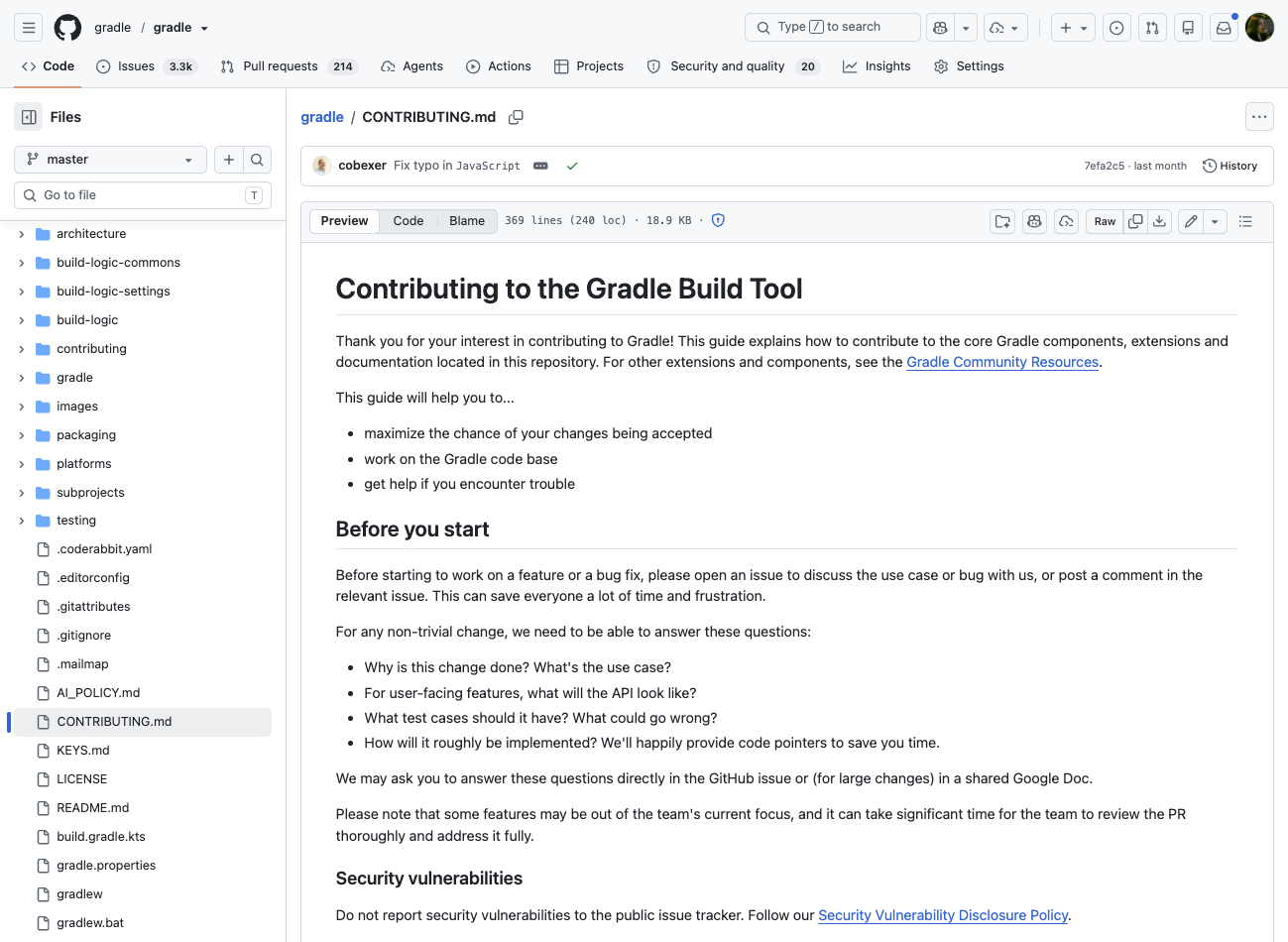
The guide grew from a single page into a structured walkthrough of the whole contribution journey:
- Finding work. A dedicated Finding issues to work on section now points contributors at
good first issueandhelp wantedlabels, so it’s clearer where to start. - Setting up. The local development setup was rewritten and expanded, with step-by-step IntelliJ IDEA import instructions, guidance on the Develocity IntelliJ plugin, and notes on remote build cache, Java toolchains, and the configuration cache.
- Making the change. We added concrete code-change guidelines, commit message conventions, DCO sign-off recovery steps, and a section on handling binary-compatibility (public API) check failures — including how to filter them by severity and accept multiple changes at once.
- Deeper references. A set of focused developer guides lives under
contributing/: debugging Gradle (and test workers), a testing guide, a Javadoc style guide, error-message guidelines, and a nullability guide. We also surfaced our Architecture Decision Records and a clear AI-assisted contributions policy.
Contributing to documentation #
Not every contribution is code, and documentation fixes are some of the most valuable, and most accessible, ways to help.
We added a dedicated Contributing to documentation section to the guide explaining how the docs are built and how to preview changes locally. For small wins like typos or wording clarifications, our issue and pull request templates now nudge reporters to open a pull request directly instead of filing an issue, and our triage process pushes such simple, well-tested changes through quickly.
Going forward #
Our commitment to our communities is always to provide an answer to issues and pull requests. We want these answers to be as helpful as possible, indicating workarounds or alternatives when applicable.
However, as indicated above, this is not a commitment to fix all the issues reported as soon as possible. The Gradle engineering team remains ultimately responsible for planning and guiding the evolution of Gradle. We understand that this can cause frustration at times, and kindly ask for your patience.
We won’t pretend everything is solved. Our backlog is still large and there is room for improvement. Grooming the backlog is part of our plans going forward, and the processes and automation described here are what make that achievable.
You can help with that, too: if you have open issues you reported a while ago, take a moment to revisit them. If a newer Gradle version resolved your problem, or the issue no longer applies, let us know in a comment. Every issue we can close is attention freed up for the ones that still hurt.
Your reports, votes, and updates are direct input into those planning decisions, so keep them coming.
We wish you “Build Happiness”!